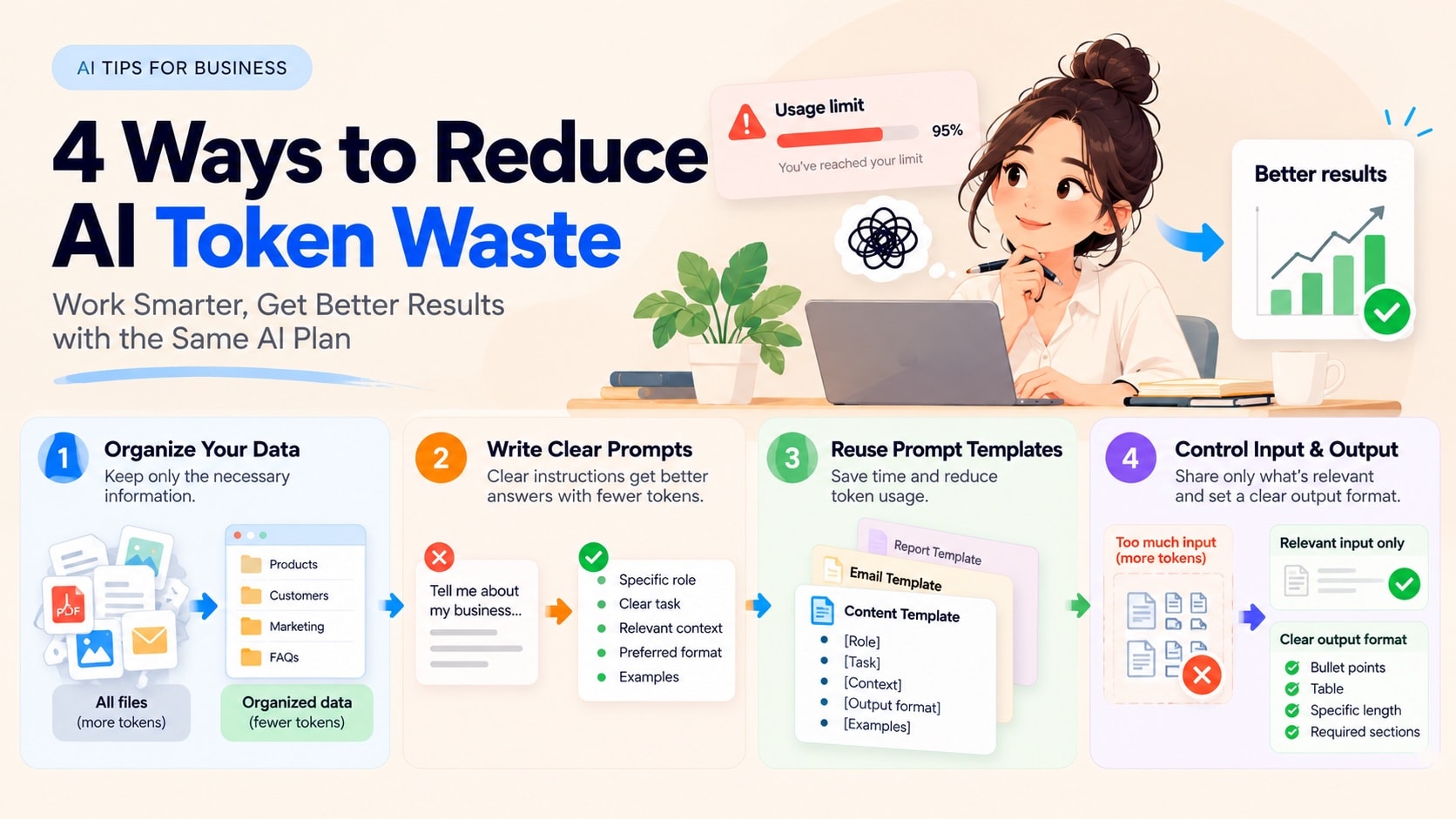
Hitting AI Limits Already? 4 Ways to Reduce Token Waste and Work Smarter
You open ChatGPT, Claude, Gemini or another AI app to get work done. Before long, you may hit a usage limit. Or perhaps your business uses an AI API and bills are rising faster than expected.
These are different issues: app limits depend on the plan, model and features, while API billing may involve tokens or other usage. But there is one part of the process you can improve: how you prepare information and assign work to AI.
At a glance: 4 ways to cut AI waste
Organize your data once so AI gets only what it needs.
Answer five questions before writing a prompt.
Save a prompt template and change only the variable parts.
Limit how much AI reads and how long it writes.
Why does one simple AI task turn into endless revisions?
Imagine running a shop with 100 products. You want a caption for Serum A, but send the entire catalog and ask, “Write a great sales post.” The AI must sort through unrelated details and guess who the audience is. You then spend several turns correcting it.
Three habits are worth fixing:
Providing irrelevant data.
Giving vague instructions.
Rebuilding the same request from scratch.
With usage-based services, these habits may increase processing costs.
Note: With subscription apps, shorter prompts do not guarantee higher usage limits. The tips in this article reduce waste and rework; they do not guarantee lower bills.
Solution 1 — Organize once, give AI only what it needs
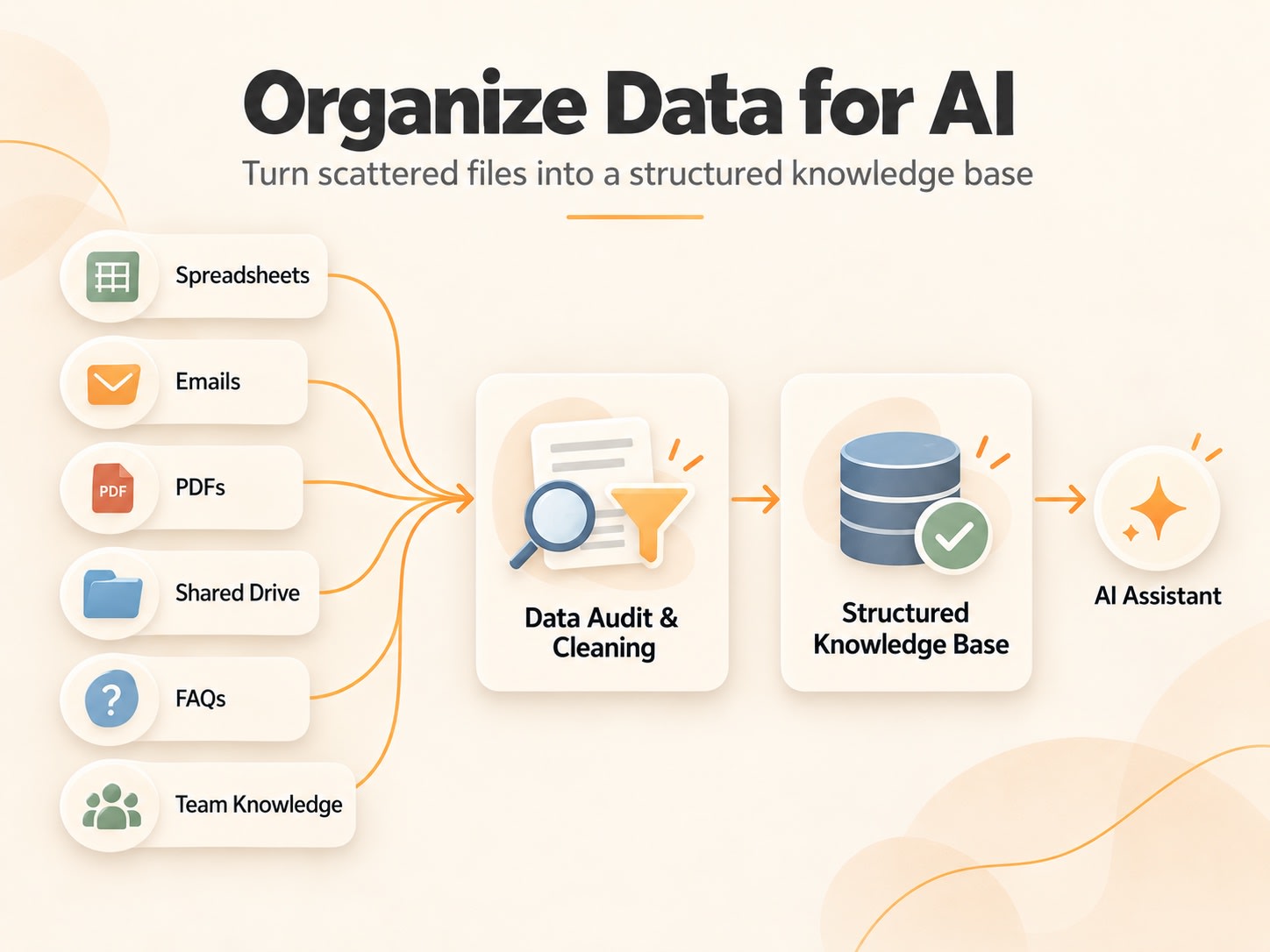
Rather than hunting through documents every time, set up a simple knowledge folder. Keep products and prices in Sheets, delivery and returns policies in Docs, brand voice in another document, and common questions in a small FAQ table. Assign one person to keep prices and other frequently changing details up to date.
A practical tip: create a sheet with Product ID | Name | Price | Verified Facts | Updated Date. For Serum A, take only its record plus relevant policies. You can paste the extract into almost any AI app. Where supported, upload a file or connect a Drive/Sheets source with suitable permissions. A connection does not automatically save tokens if the application repeatedly processes everything; effective retrieval of relevant information is what matters.
The benefit is easier access to the correct facts and fewer avoidable mix-ups. Never expose confidential customer data without proper permission.
Try this check:
What is the current price of Serum A? Use only the latest dated price list I supplied; if missing, say you don't know.Fix inaccurate source records before rewriting prompts.
Solution 2 — Prepare five answers before writing your prompt
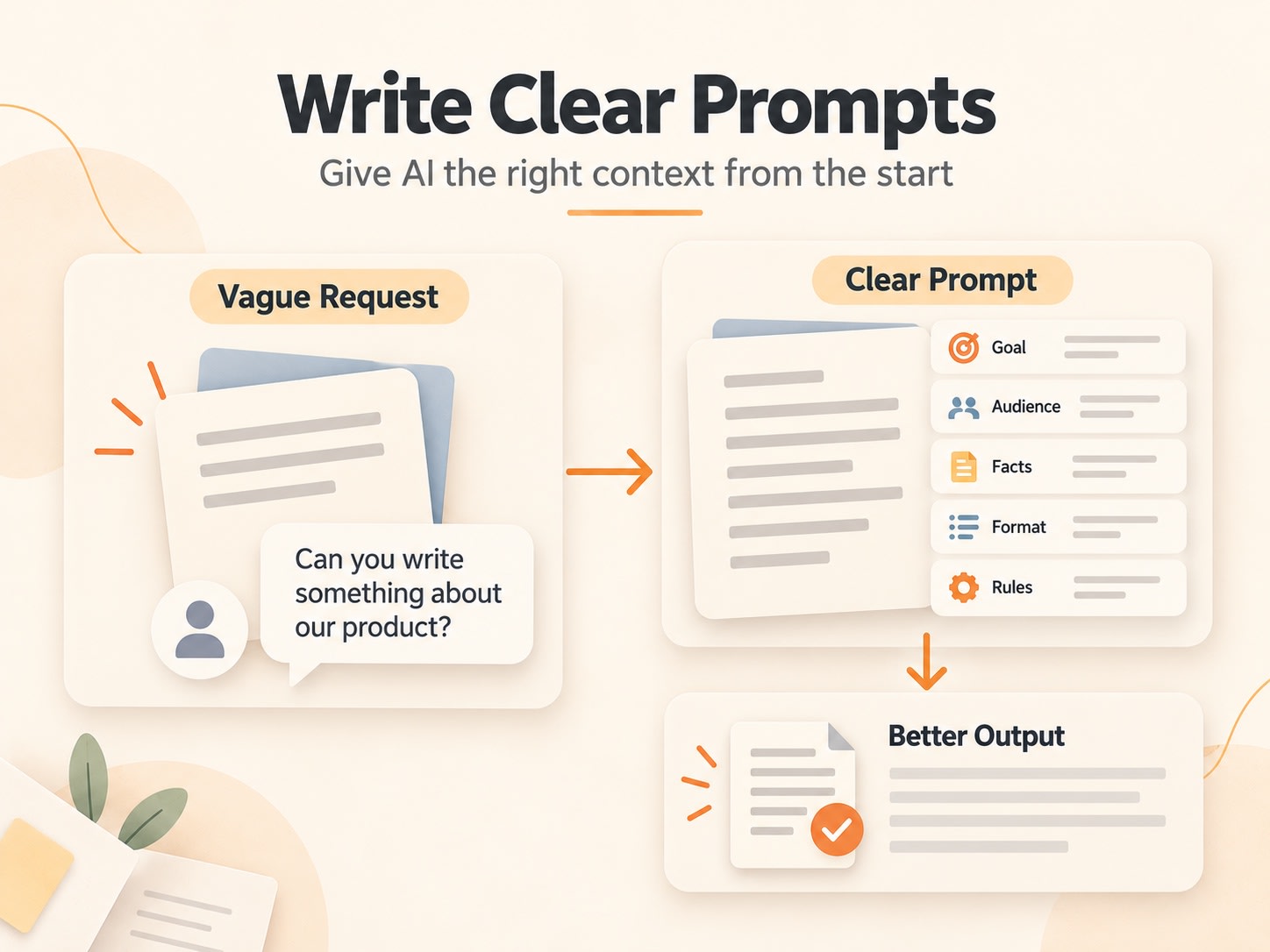
Before opening an AI chat, answer five questions:
What exactly do I want?
Who is it for?
Which language?
What output format?
What must the AI never invent or omit?
For image generation, specify dimensions, aspect ratio, style and number of images instead of length.
For example:
Write three Khmer Facebook captions for Serum A for women aged 25–35. Keep each caption to 3–4 short sentences, using only the verified price and product facts below. End with an invitation to message the shop. If something is missing, ask rather than invent a claim.The goal is not the shortest prompt. It is a precise request that contains enough context to be answered correctly without unnecessary revisions.
This illustrative example shows the difference between the two approaches (a hypothetical scenario, not measured data):
Vague request | Clear request | |
|---|---|---|
Prompt | Write a great serum advertisement. | Using only the verified facts below, write three Khmer captions about Serum A for women aged 25–35, 3–4 short sentences each; do not invent benefits and ask if the price is missing. |
AI response | A long English post that uses an old price from the catalog and adds an unverified claim such as “removes dark spots in 7 days”. | Three Khmer captions that use the current price and mention only verified benefits. |
Extra work for you | Fix the price, delete the claim, ask for Khmer and a shorter version. | Pick one caption and adjust a few words to match your brand voice. |
The second prompt is better because success can be evaluated, not simply because it's longer.
Solution 3 — Stop rebuilding your instructions every day
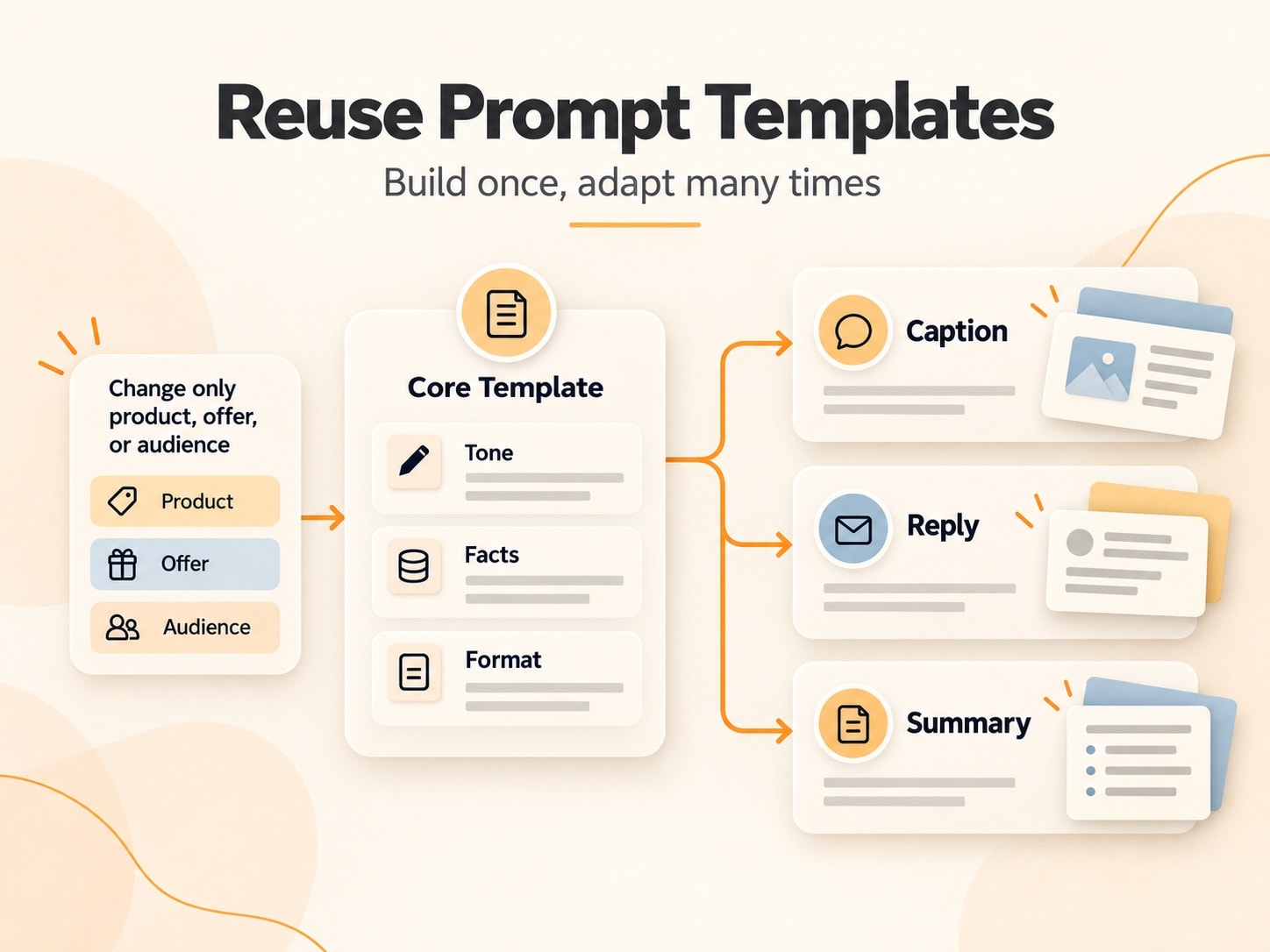
If your team writes captions or customer replies repeatedly, keep a reusable template in a document or notes app:
Task: [TASK]
Product: [PRODUCT]
Verified facts: [FACTS]
Audience: [AUDIENCE]
Language: [LANGUAGE]
Output: [FORMAT]
Rules: [RULES]
Change only the fields relevant to today's task. This can save preparation time and encourage consistency.
When a price changes, update the source sheet first. When tone changes, edit the reusable guideline once. Keep versions rather than overwriting old prompts. Projects or custom-instruction features may help on supported apps, but check privacy settings and whether those instructions are automatically used on future tasks.
Solution 4 — Control how much AI reads and how much it writes
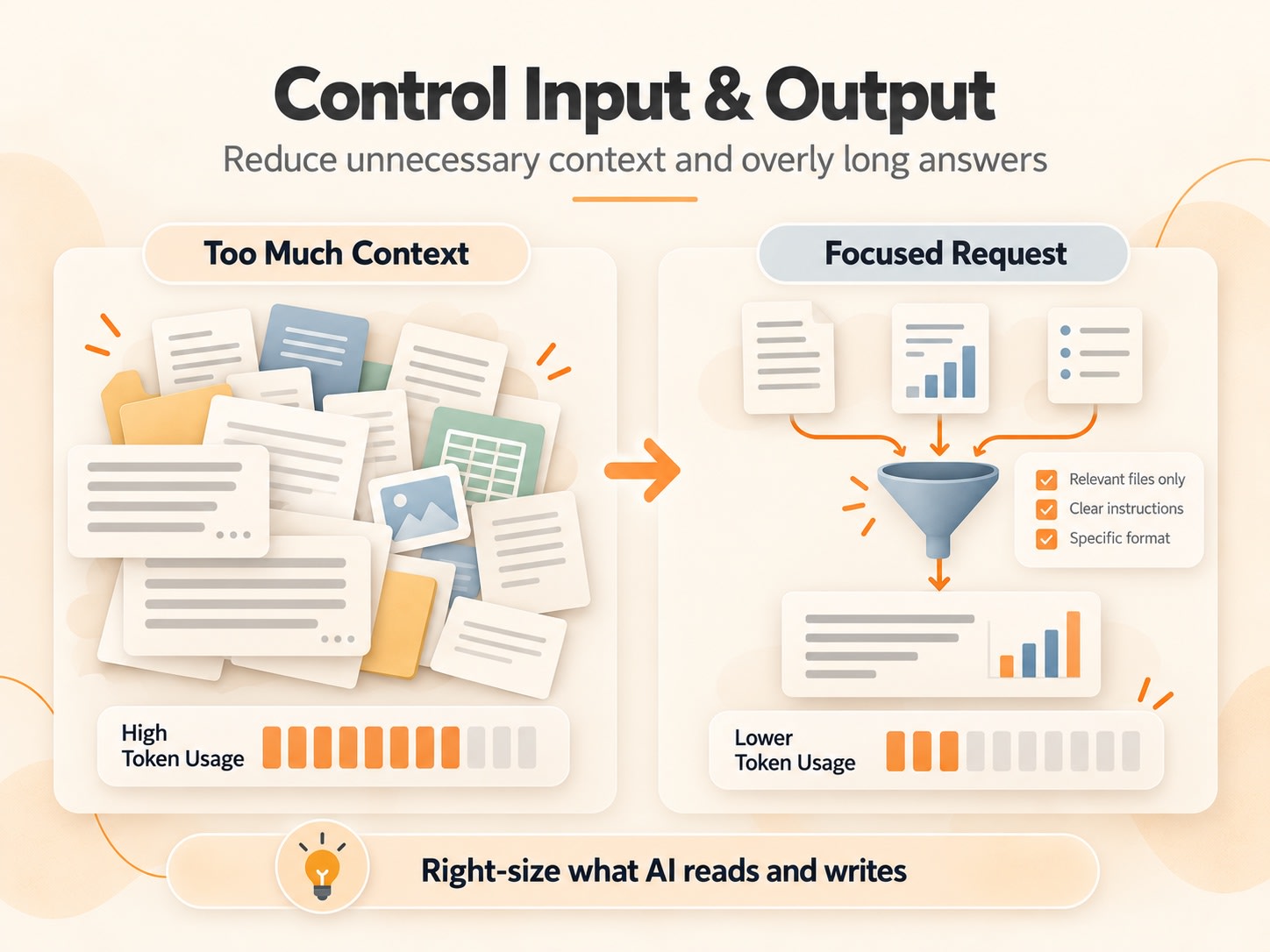
Another source of waste is asking AI to process more than the task demands. If you only need the price of Serum A, there is no need to provide every sales report. If your team needs five meeting takeaways, a thousand-word answer may be unnecessary.
Try this: specify exactly which records matter and how long the response should be. For example:
Use only product records A001–A010. Return five findings, no more than 25 words each. State clearly when facts are missing.When a chat becomes very long, ask AI to summarize the context, then paste the summary into a fresh conversation. You can use this prompt:
Summarize this conversation so I can continue in a new chat. Keep the goal, confirmed facts and numbers, decisions already made, tone and format requirements, and open tasks. Drop drafts and rejected options. Use no more than 10 bullet points.Read the summary before you use it to make sure nothing critical is missing.
For token-billed services this can directly reduce input or output tokens. However, trimming too much context can damage accuracy. Image and video tools may charge per generation, duration, or credit rather than by text tokens.
Which solution should you try first?
There is no need to change everything at once. Pick the solution that matches your problem:
Problem you see | Try |
|---|---|
AI mixes up prices or product facts | Solution 1: improve your data source |
Replies need repeated corrections | Solution 2: clarify the request |
You rewrite the same kind of request every day | Solution 3: save a prompt template |
API costs rise because inputs or outputs are long | Solution 4: narrow the scope |
Choose one real recurring task—Khmer captions, customer replies or report summaries—and try one change today. Compare quality, revisions and real costs where available before scaling the approach.
How can you tell whether the new workflow actually works?
Run the same task with the same model using your old and new workflows, and record the results in a simple table. Here is the Serum A example from Solution 2:
Criterion | Old workflow | New workflow |
|---|---|---|
Output matches source facts? | Wrong price, unverified claim | Correct price, verified facts only |
Number of revisions | 3 (fix price, delete claim, shorten) | 1 (adjust a few words) |
Time to finish | Longer: several rounds of reading and fixing | Shorter: nearly ready to use |
Actual API cost (if available) | More requests, so usually higher | Fewer requests; confirm in your Usage/Billing report |
Don't claim a percentage cost reduction until you have measurements. A shorter but inaccurate answer isn't an improvement.
Subscription users should usually measure quality and time rather than invent per-request charges. API users can check provider usage and billing, including input/output and caching where available. Never present hypothetical “90% savings” as a measured result.
Frequently Asked Questions About Tokens and Efficient AI Use
1. Why do I hit limits so quickly on ChatGPT, Claude or Gemini?
Each platform sets its own usage limits based on plan, model and features. Some tasks require more resources than others. Using fewer tokens does not guarantee additional messages, but clearer tasks may help you make better use of your available usage.
2. Does a shorter prompt always save tokens?
A shorter prompt usually contains fewer input tokens, but may not save tokens across the entire task. If AI misunderstands and requires several revisions, total usage can rise. Include the necessary facts and omit irrelevant material.
3. Does uploading documents or connecting Google Sheets automatically save tokens?
No. Sheets and Docs can organize information, but token consumption depends on how an application reads or retrieves it. When AI processes only relevant sections rather than an entire file on each request, token usage may decrease.
4. Do I need a more expensive AI subscription to work effectively?
Not always. First check whether you are supplying excessive data, giving vague instructions or repeating unnecessary steps. If your actual workload still exceeds your plan's limits, upgrading may make sense.
5. How can I tell whether I have actually saved tokens?
Compare the same task before and after changing your workflow. For APIs, examine provider-reported token usage and real charges, alongside accuracy and the number of revisions. With subscription apps that don't expose per-task usage, track output quality, time and rework instead. The goal is good results with sensible resource use, not simply the fewest tokens.
6. Do these tips work for AI image and video generators?
Some principles carry over: provide clear instructions and relevant references, and avoid unnecessary regenerations. But these tools may charge by credits, generations, quality or duration. Reducing text tokens does not necessarily reduce image or video costs.
What to do next
You don't need to rebuild your entire AI setup today. Start with one recurring task, organize the relevant facts, save a good prompt and compare your results. If your technical team works with large software codebases, read our separate Graphify tutorial: Graphify for Developers: Build a Codebase Knowledge Graph and Measure Its Value
Contact NiMo Solutions to bring AI into your team's workflow
NiMo Solutions — Make Your Next Move Count.